2014 Hyundai Santa Fe C1513 Brake Switch Fix
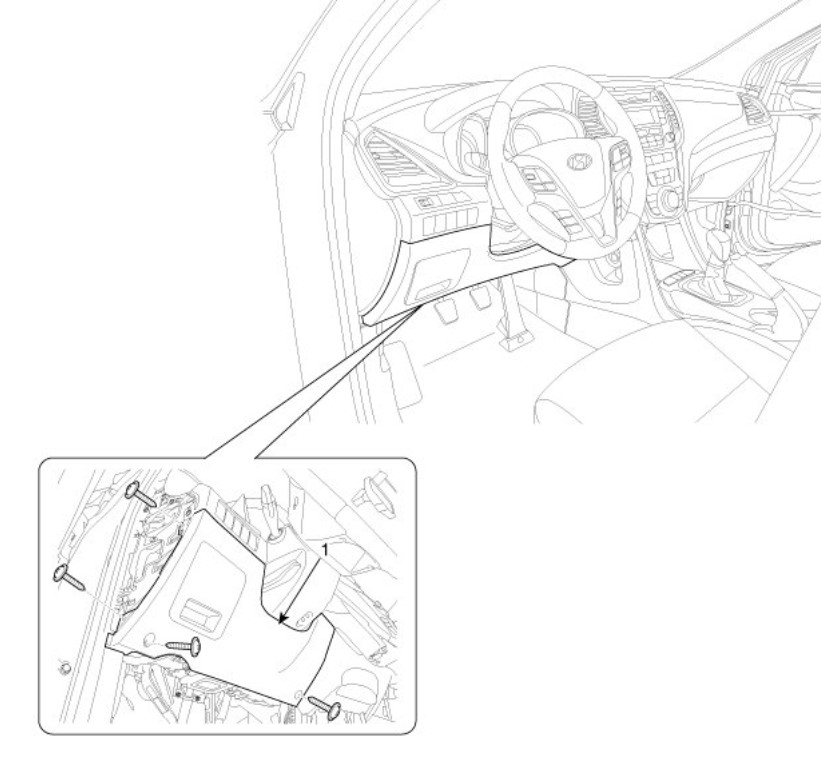
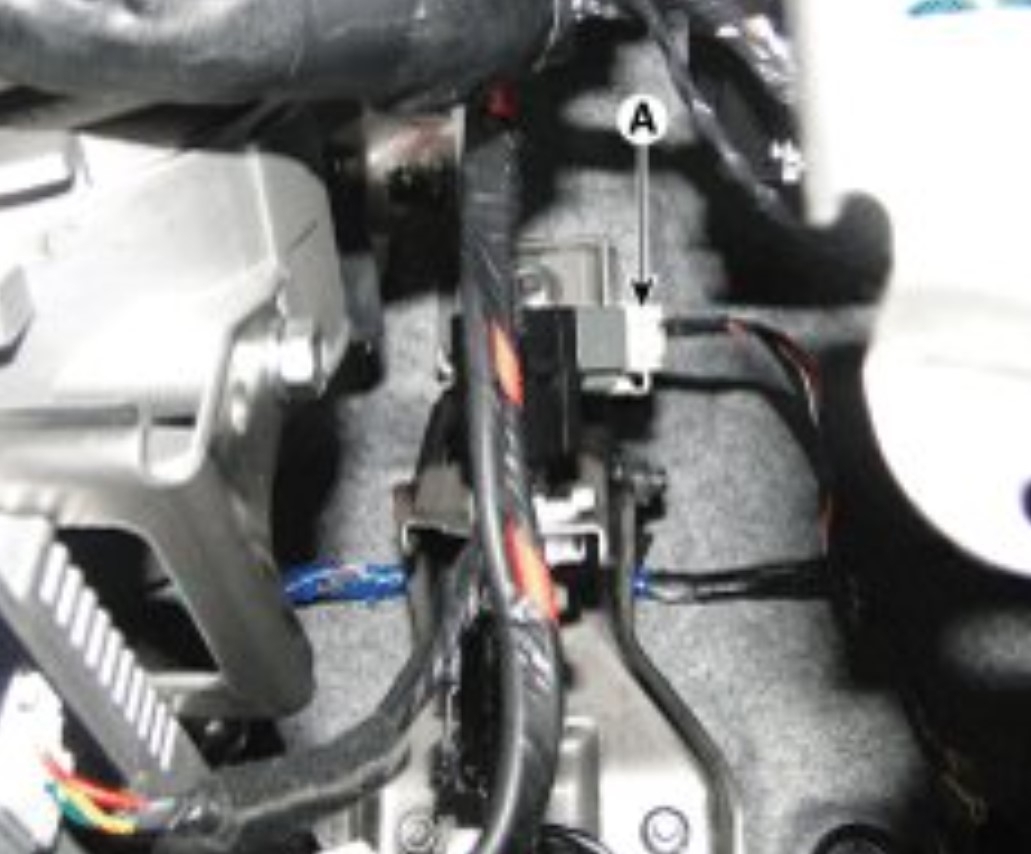
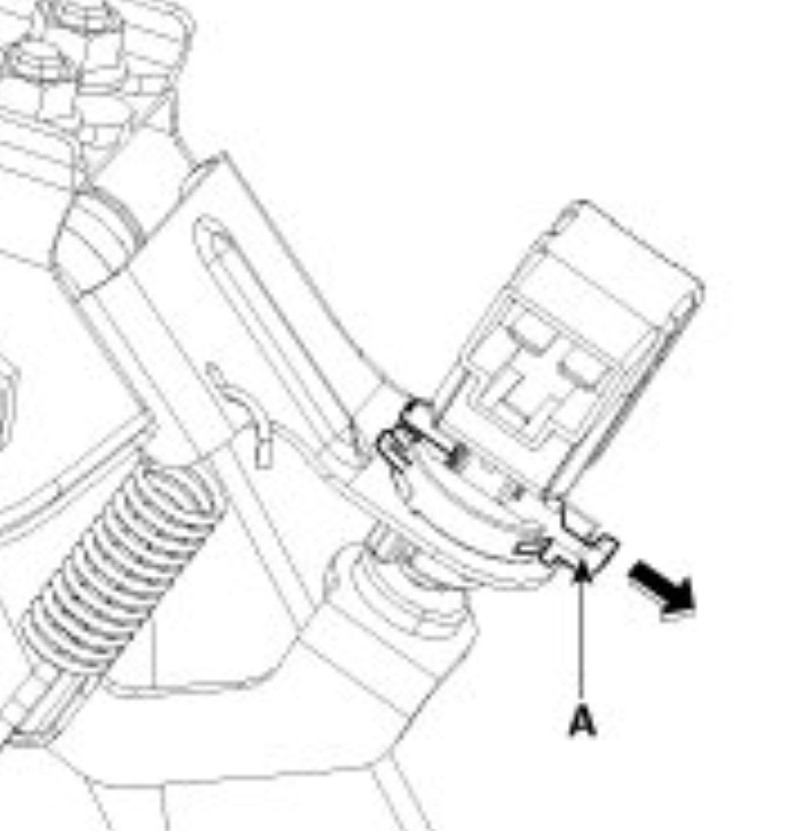
The switch is part number 938103S700. To replace it you remove the panel under the steering column by removing the screws shown. Then look on the top of the brake lever to find the switch. On the switch is a lock that you pull down, now rotate the switch 45 degrees so the locking threads release, and the switch can be pulled out. Unplug the connector. Now take the new switch and connect the wiring harness to it, then slip it into place in reverse of the old switch. Hold the brake pedal up and push the switch in until it bottoms out on the bumper on the pedal.
Let go of the pedal, if it stays up and the switch doesn't turn on the brake lights push the pedal and let it return, verify that the brake lights only come on when the pedal is pushed down and go off when it is up. Now rotate the switch counterclockwise to lock it in place and push the lock back into place.
https://www.youtube.com/watch?v=kNdQ2ptPNMg
Suggested Repair
Replace the brake light switch (part 938103S700) and the missing brake-pedal bumper/pad. Remove the lower steering-column panel, unlock and rotate the switch out, install the new switch and pad, then adjust it so the brake lights come on only when the pedal is pressed. Code C1513 should clear on its own after the PCM confirms the switch works over several drive cycles.
Conversation Summary
A 2014 Hyundai Santa Fe had a drained battery and stored code C1513, brake switch circuit error, with no check-engine light. The owner suspected an intermittent stoplight switch. The expert said these switches commonly fail and that the plastic pedal pad that actuates the switch can also be missing, and gave replacement and adjustment steps. The owner found the pad missing and a loose screw in its place, then replaced both the bumper and the switch. The expert said the code should clear after drive cycles once the system sees a working switch. A later turn-signal comment was a misdirected message and should be disregarded.