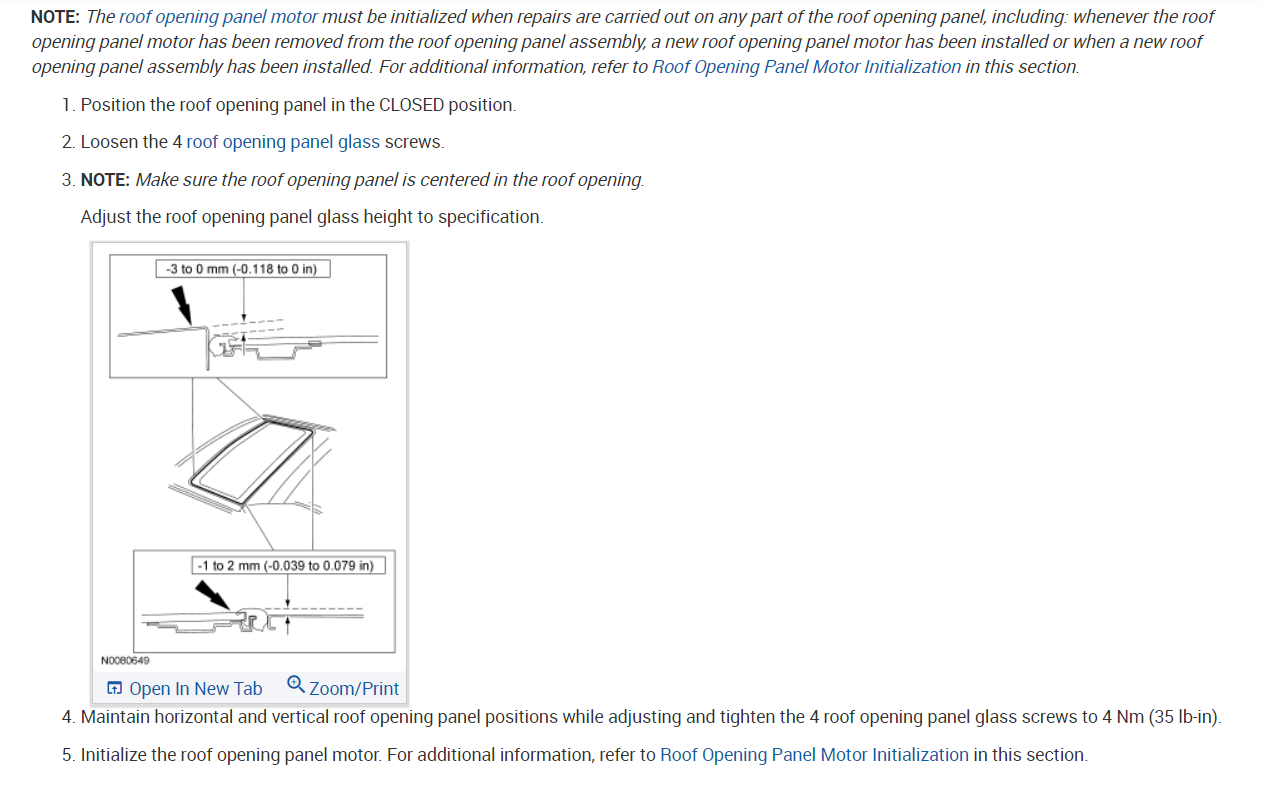
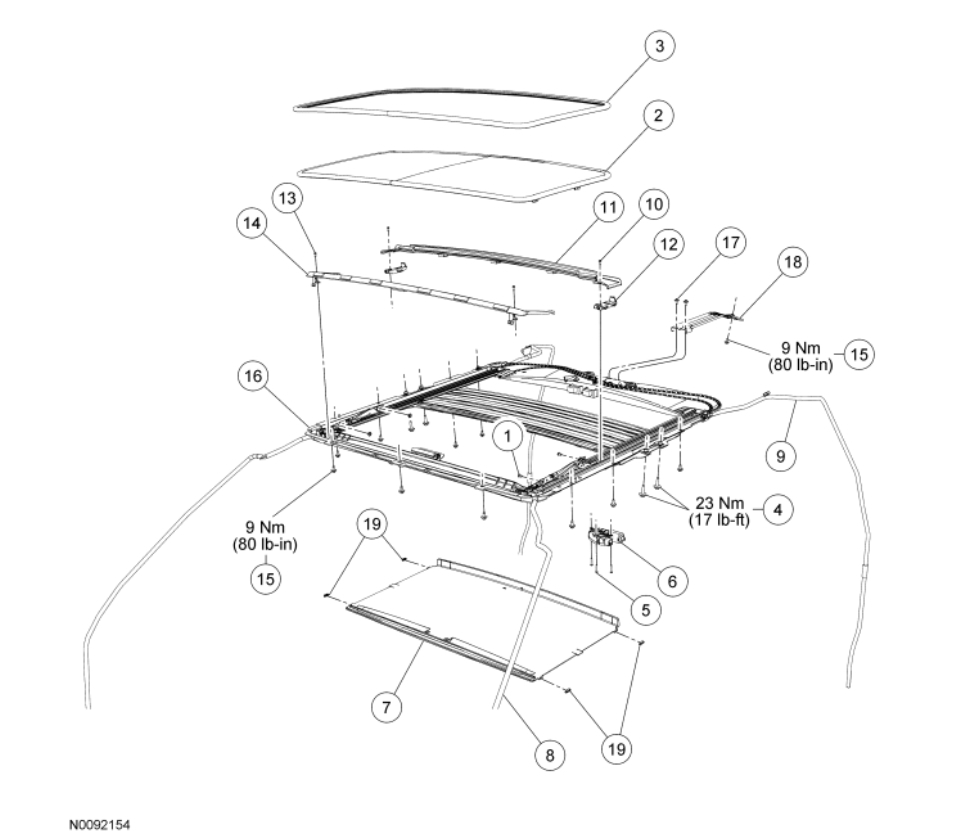
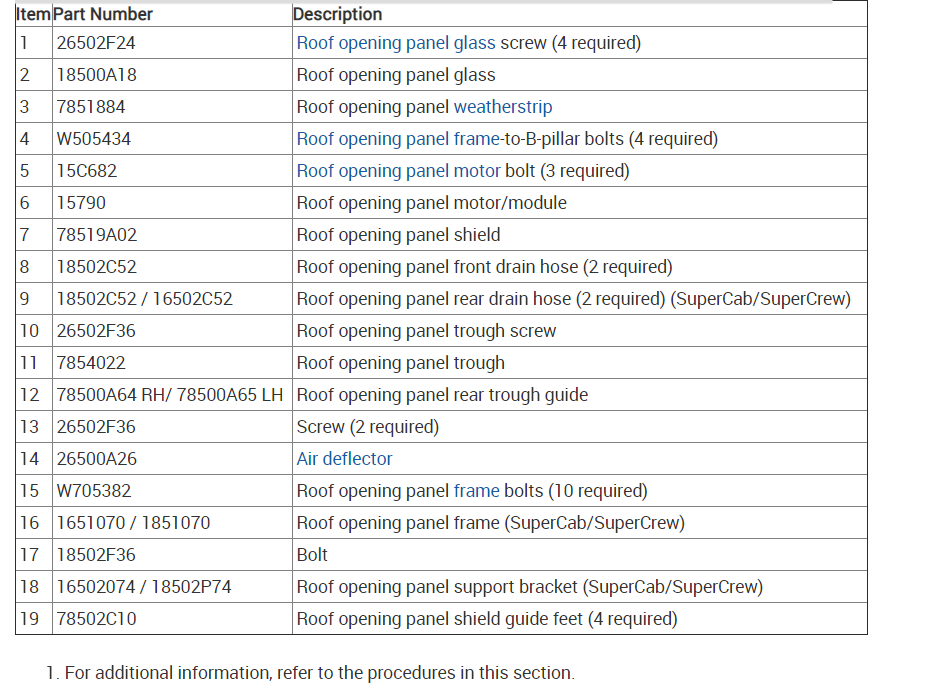
It does this when the sunroof is to difficult to open the system is built with an amperage meter for safety. Here are instructions on how to install the sunroof rails to make sure it is together correctly. Check out the diagrams (below).
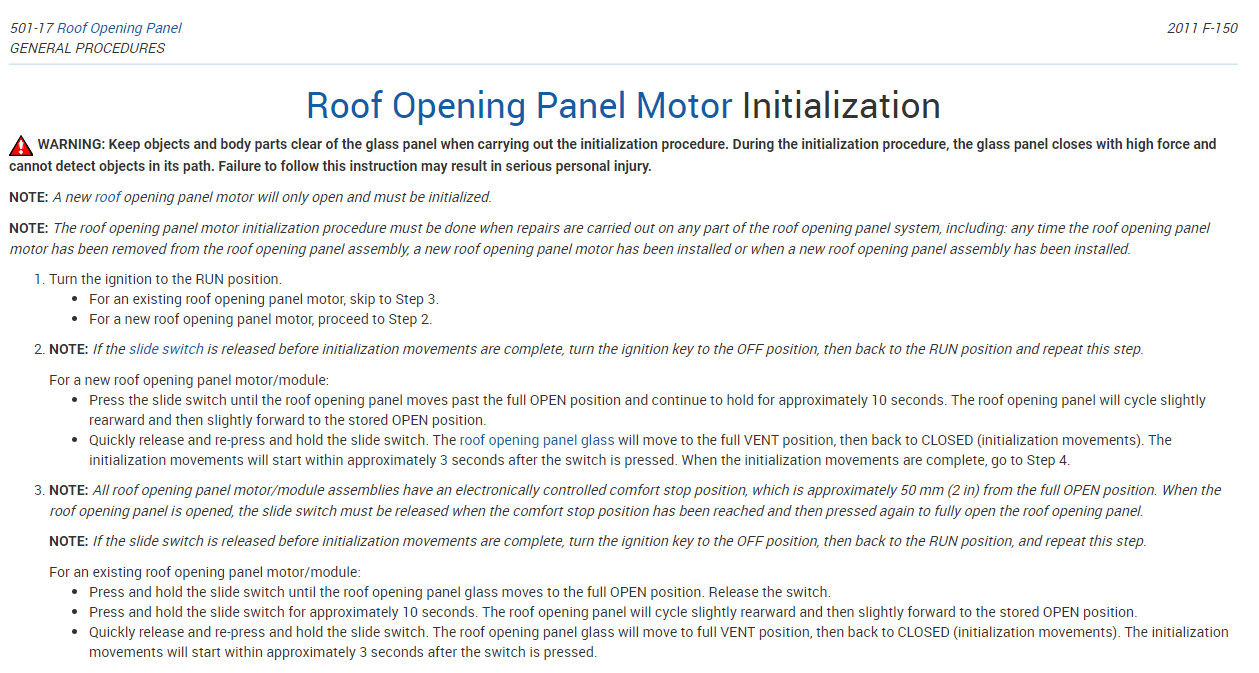
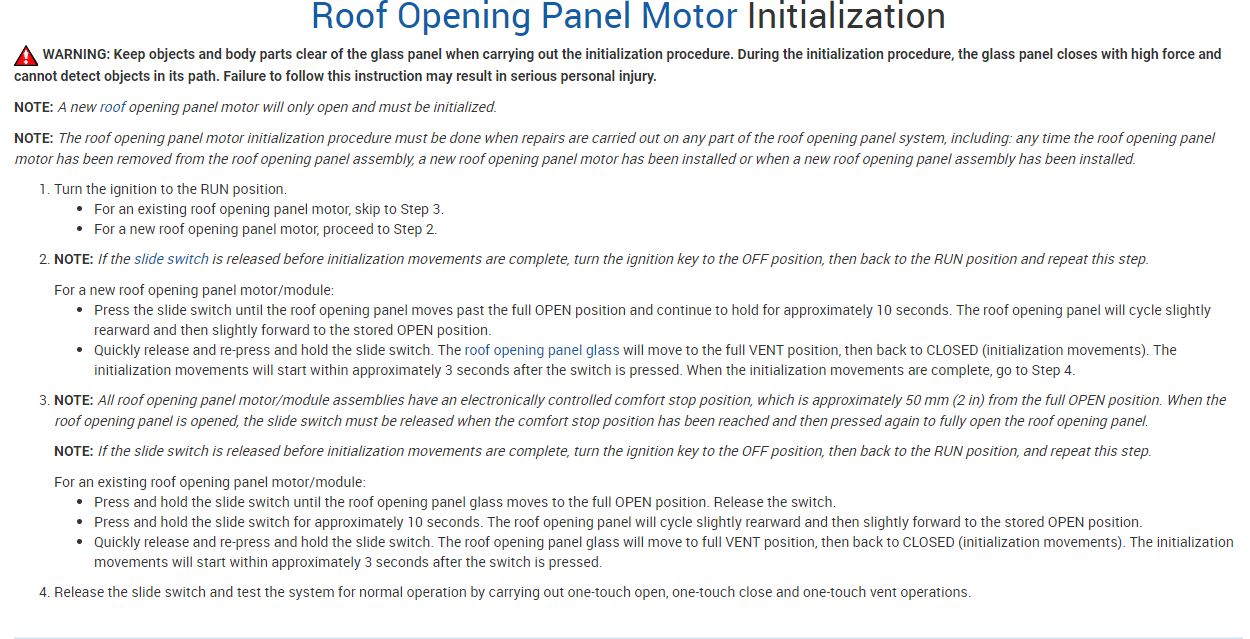
Roof Opening Panel Motor Initialization
image WARNING: Keep objects and body parts clear of the glass panel when carrying out the initialization procedure. During the initialization procedure, the glass panel closes with high force and cannot detect objects in its path. Failure to follow this instruction may result in serious personal injury.
NOTE: A new roof opening panel motor will only open and must be initialized.
NOTE: The roof opening panel motor initialization procedure must be done when repairs are carried out on any part of the roof opening panel system, including: any time the roof opening panel motor has been removed from the roof opening panel assembly, a new roof opening panel motor has been installed or when a new roof opening panel assembly has been installed.
Turn the ignition to the RUN position.
For an existing roof opening panel motor, skip to Step 3.
For a new roof opening panel motor, proceed to Step 2.
NOTE: If the slide switch is released before initialization movements are complete, turn the ignition key to the OFF position, then back to the RUN position and repeat this step.
For a new roof opening panel motor/module:
Press the slide switch until the roof opening panel moves past the full OPEN position and continue to hold for approximately 10 seconds. The roof opening panel will cycle slightly rearward and then slightly forward to the stored OPEN position.
Quickly release and re-press and hold the slide switch. The roof opening panel glass will move to the full VENT position, then back to CLOSED (initialization movements). The initialization movements will start within approximately 3 seconds after the switch is pressed. When the initialization movements are complete, go to Step 4.
NOTE: All roof opening panel motor/module assemblies have an electronically controlled comfort stop position, which is approximately 50 mm (2 in) from the full OPEN position. When the roof opening panel is opened, the slide switch must be released when the comfort stop position has been reached and then pressed again to fully open the roof opening panel.
NOTE: If the slide switch is released before initialization movements are complete, turn the ignition key to the OFF position, then back to the RUN position, and repeat this step.
For an existing roof opening panel motor/module:
Press and hold the slide switch until the roof opening panel glass moves to the full OPEN position. Release the switch.
Press and hold the slide switch for approximately 10 seconds. The roof opening panel will cycle slightly rearward and then slightly forward to the stored OPEN position.
Quickly release and re-press and hold the slide switch. The roof opening panel glass will move to full VENT position, then back to CLOSED (initialization movements). The initialization movements will start within approximately 3 seconds after the switch is pressed.
Release the slide switch and test the system for normal operation by carrying out one-touch open, one-touch close and one-touch vent operations.
Check out the diagrams (below). Let us know what happens and please upload pictures or videos of the problem.
Images (Click to enlarge)
May 19, 2021 at 5:45 AM