E-350 passenger van.
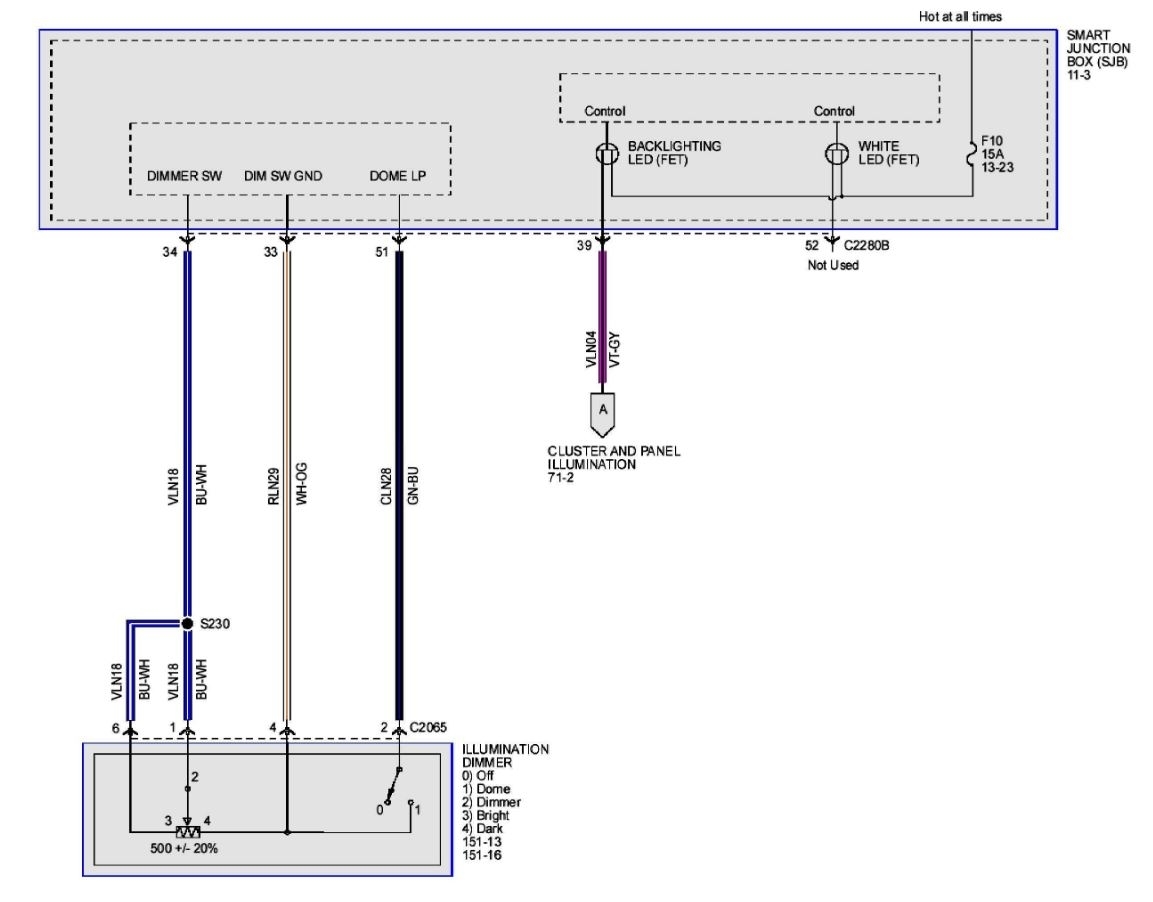
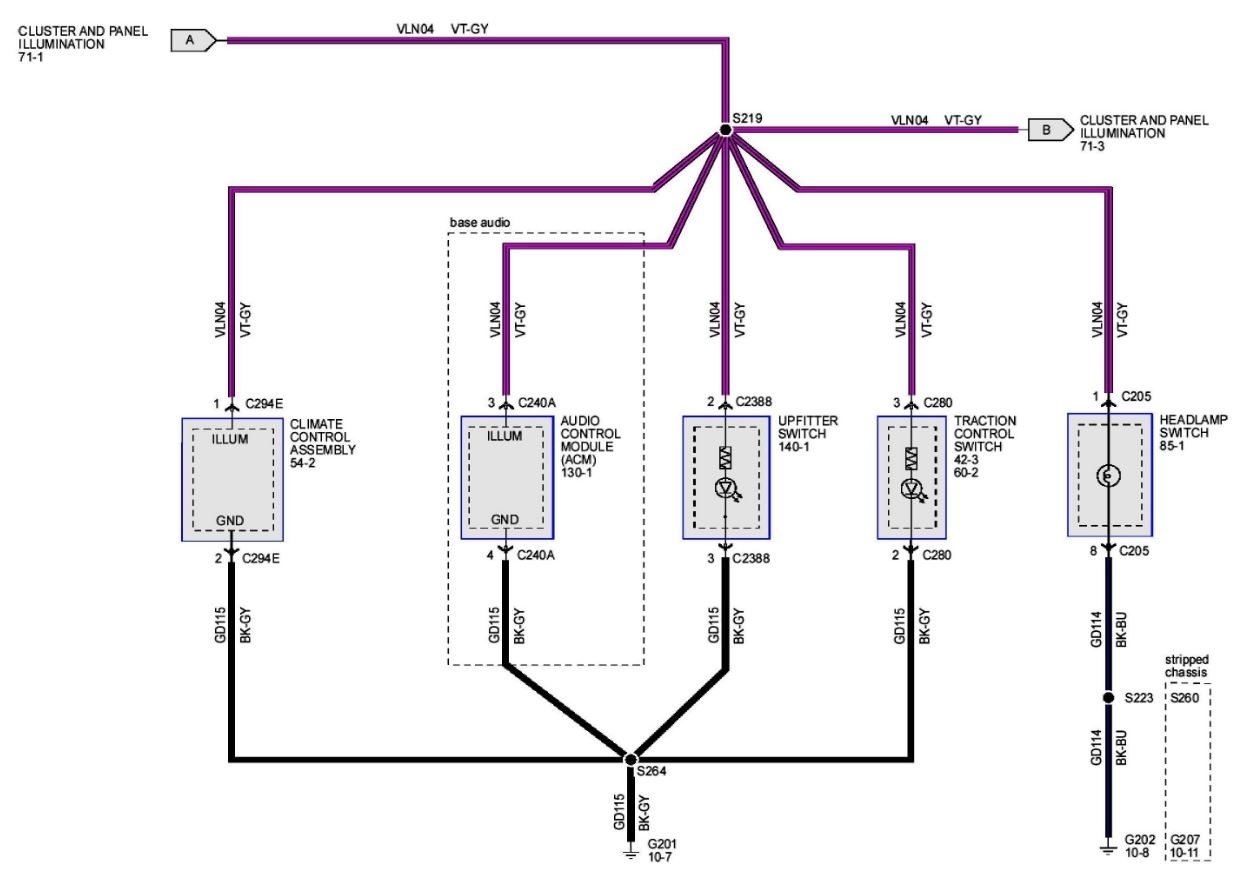
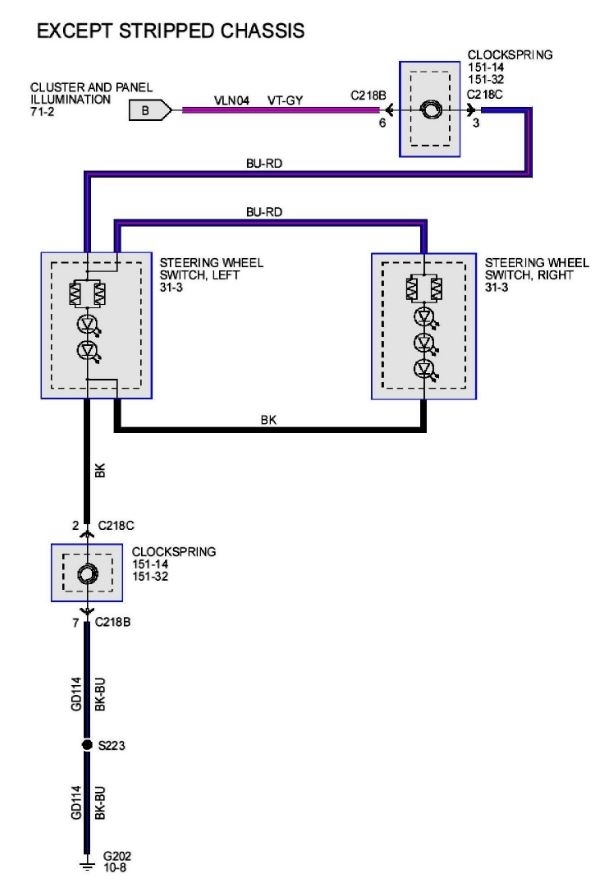
Wife put jumper cables on backwards 3 years ago, and blew a couple of fuses. I replaced the fuses and all was well except the illumination behind my climate control knobs. (and also the illumination behind the blower speed knobs, and headlight switch/knob and dimmer switch) All instrument cluster lights work, radio lights work, power outlets work, all switches work... dimmer control works for the radio lights and cluster lights. But I get no illumination behind these switches/knobs no matter what I do.
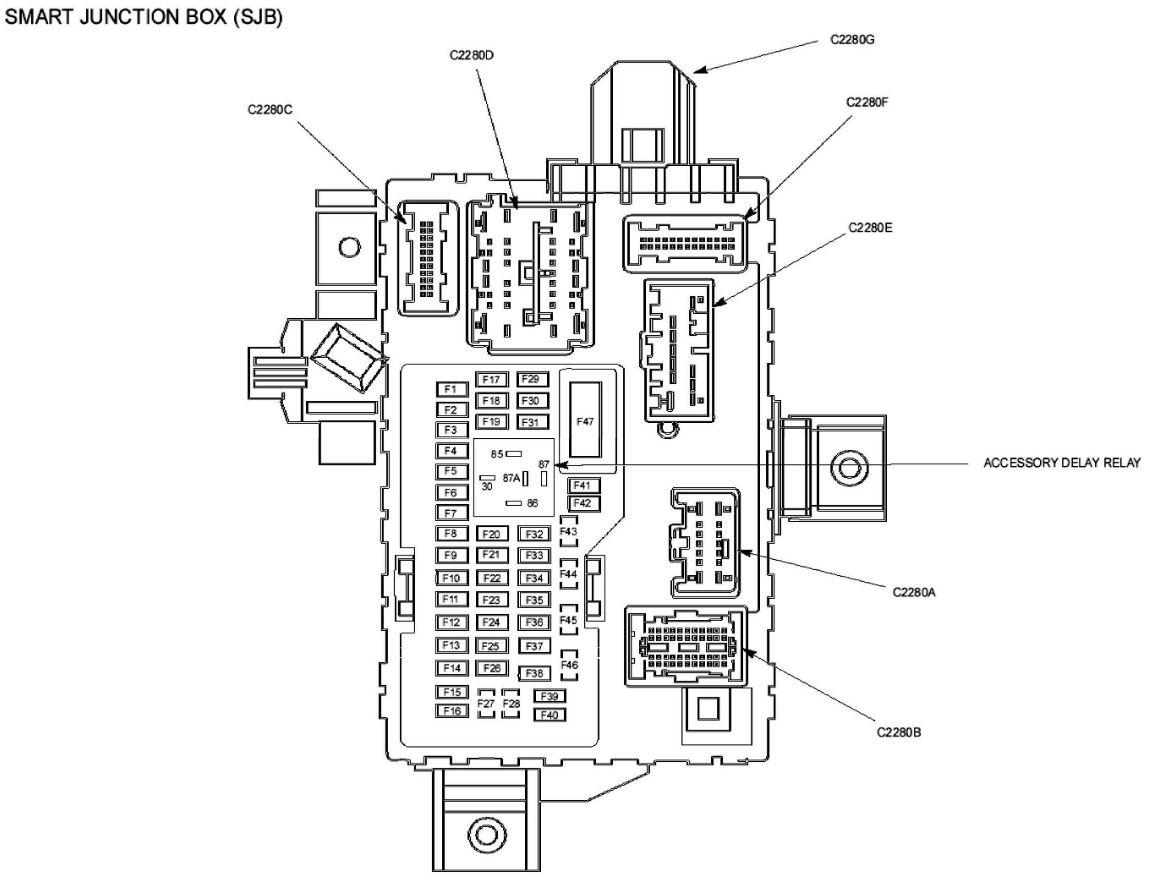
I’ve checked every fuse in the passenger compartment fuse-panel,(#10 was blown, but replaced), and I’ve visually checked every one of the fuses in the fuse-box under the hood. All good.
This has plagued me for 3 years, and it’s high time I figure out what’s keeping it from working! I pulled the bezel off the dash, and checked the 2 bulbs behind the climate control knobs. Both looked good.
the only other thought I had was if those bulbs were in series with the bulbs behind blower switches, and headlight switch illumination?!
But beyond this, I’m stumped.
any suggestions on things to try?
(Photo shows controls, with headlights on, dimmer at max. No lights behind the switches/knobs)
Wife put jumper cables on backwards 3 years ago, and blew a couple of fuses. I replaced the fuses and all was well except the illumination behind my climate control knobs. (and also the illumination behind the blower speed knobs, and headlight switch/knob and dimmer switch) All instrument cluster lights work, radio lights work, power outlets work, all switches work... dimmer control works for the radio lights and cluster lights. But I get no illumination behind these switches/knobs no matter what I do.
I’ve checked every fuse in the passenger compartment fuse-panel,(#10 was blown, but replaced), and I’ve visually checked every one of the fuses in the fuse-box under the hood. All good.
This has plagued me for 3 years, and it’s high time I figure out what’s keeping it from working! I pulled the bezel off the dash, and checked the 2 bulbs behind the climate control knobs. Both looked good.
the only other thought I had was if those bulbs were in series with the bulbs behind blower switches, and headlight switch illumination?!
But beyond this, I’m stumped.
any suggestions on things to try?
(Photo shows controls, with headlights on, dimmer at max. No lights behind the switches/knobs)
Jan 20, 2021 at 8:19 AM