remove the center console to replace the amplifier?

2008 HUMMER H2
78,788 MILES • 4WD • AUTOMATIC
Avatar
GROGAN29
  • MEMBER
  • 5 POSTS
need to know to remove the center console to replace the amplifier that is underneath the console. Could you please send a video on how to remove it, with minimal damage to truck.
Thank you
Julie Sawyers
Jun 30, 2026 at 5:26 AM
Advertisement
Avatar
STEVE W.
  • ASE Certified Mechanic
  • 15,200 POSTS
  • ASE Certified Mechanic
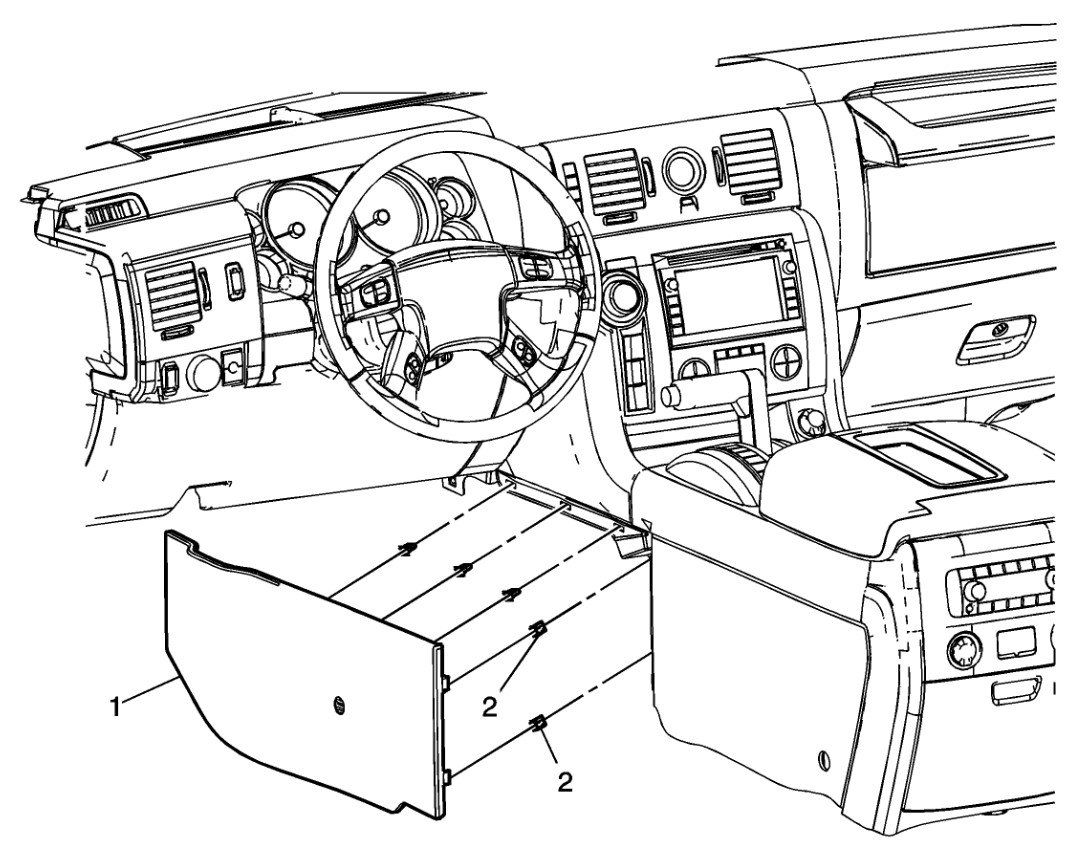
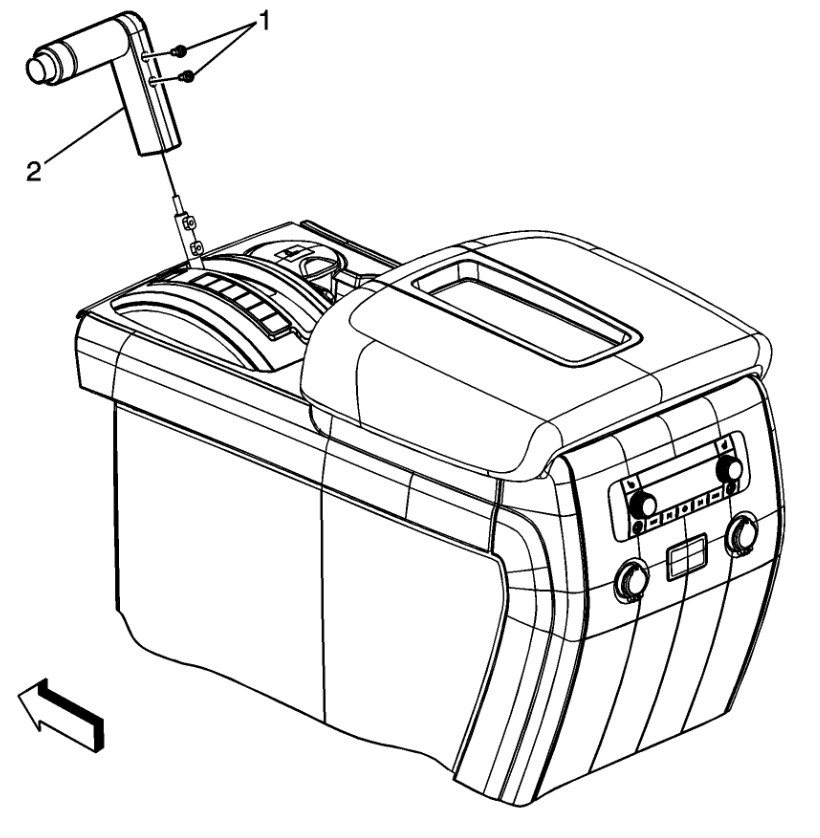
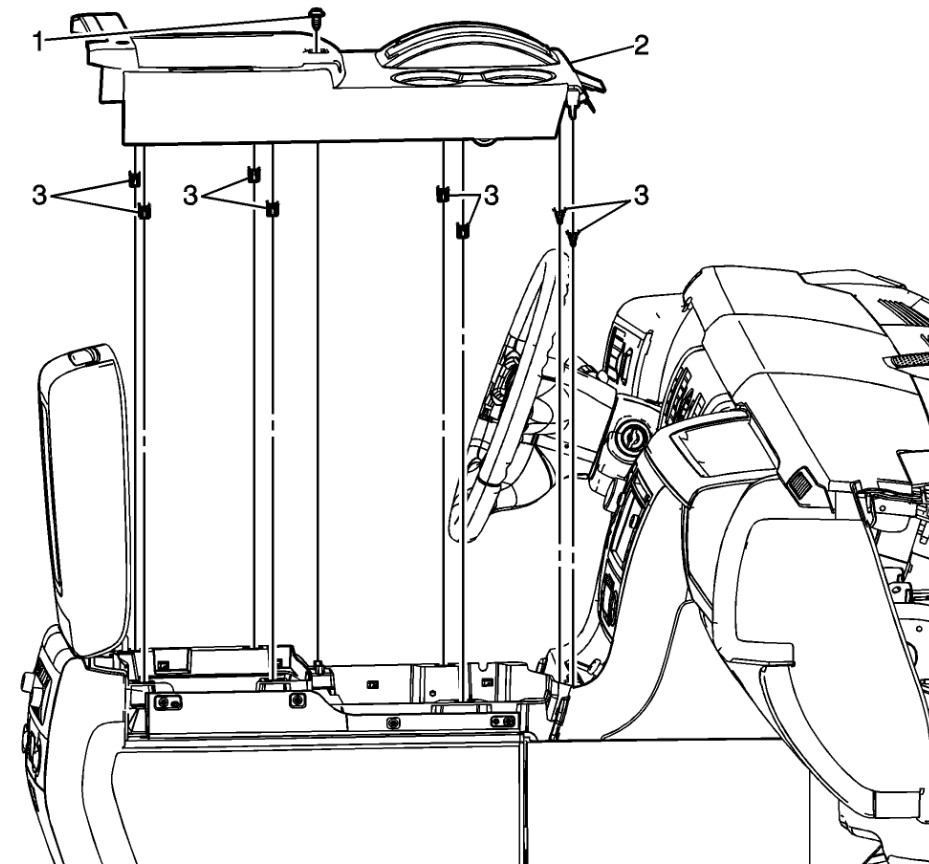
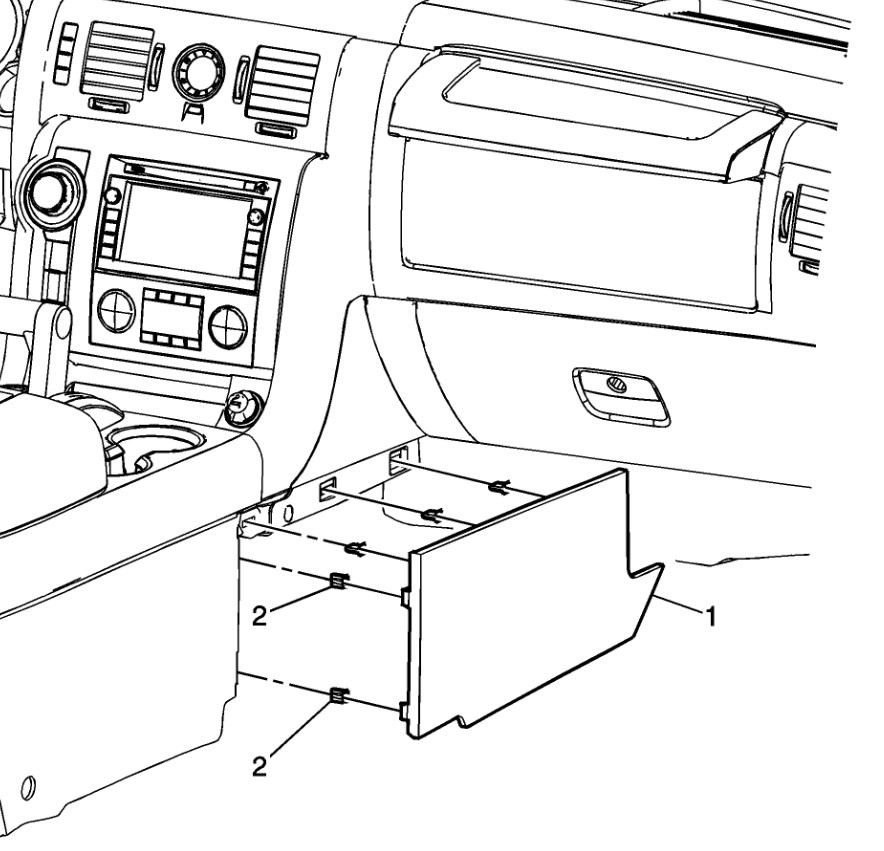
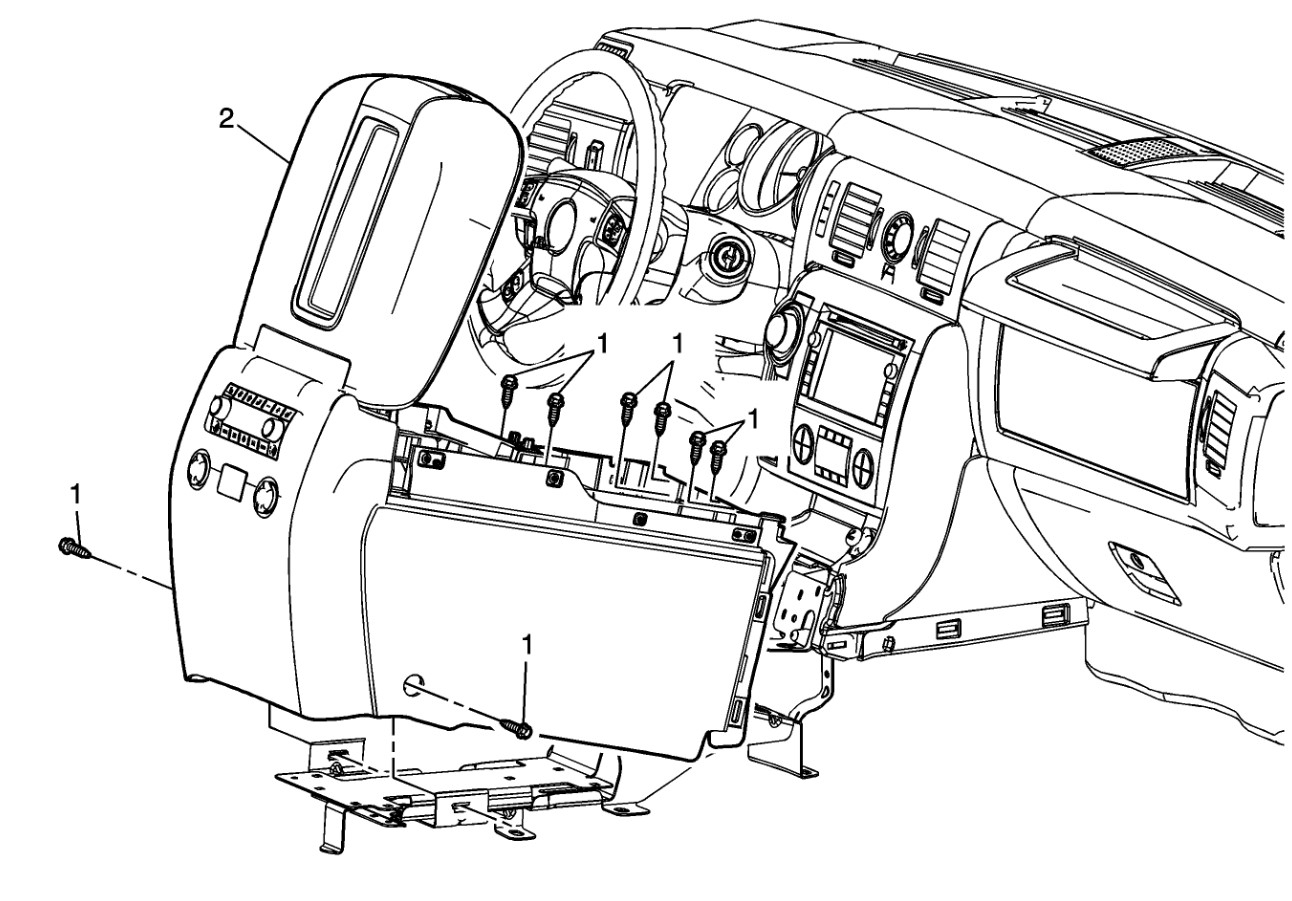
We don't have a video of the removal, however it isn't that hard to do without damage. You need to remove the shifter bezel, then the left and right lower instrument panel closeouts. Then you can access the screws and clips that retain the console to remove it. Those steps are all in the attached images. Use a plastic trim stick to deal with the clips. Also be advised that there are two different amplifiers used in the H2. One has no network connection to the vehicle while the other is connected and requires programming using a scan tool and interface to be replaced so it will work. The difference is in the option, the LAN connected one is capable of surround sound effects. I would determine which you have as they do not interchange, also it is not real easy if you intend to replace it with a generic amp in either case as there are a lot of speaker and modules connected.
Jun 30, 2026 at 11:30 PM
Avatar
GROGAN29
  • MEMBER
  • 5 POSTS
Do you have the two different part numbers? My research showed only one part number, a replacement part number, and the amplifier needed to be calibrated to the vin with a Tech2. I have a Tech2.
Jul 1, 2026 at 5:30 PM
Avatar
STEVE W.
  • ASE Certified Mechanic
  • 15,200 POSTS
  • ASE Certified Mechanic
There were two options available, look on the build sticker or tag for the option code. RPO UQA is the "base" version and RPO UQS is the LAN connected unit with surround.
UQA - uses part numbers - Use the Tech 2 to retrieve the modules part number.
UQS - uses part numbers - 25921142, 25924299, 25926541, 25939528 or 25939529 and that can also be checked using the Tech 2.
Jul 1, 2026 at 11:15 PM
Avatar
GROGAN29
  • MEMBER
  • 5 POSTS
Our RPO is UQA. Does that mean the amplifier i bought p/n 25924299, will not work?
Jul 1, 2026 at 11:49 PM
Avatar
GROGAN29
  • MEMBER
  • 5 POSTS
do you have the steps on the Tech2 I need to take to find the amplifier module?
Jul 2, 2026 at 2:36 AM
Avatar
STEVE W.
  • ASE Certified Mechanic
  • 15,200 POSTS
  • ASE Certified Mechanic
The amp you bought is for the RPO UQS and isn't the correct part for the option package you have. You should be able to go into the T2 and look at module information in the entertainment menu. That will show the module and which update revision you have. Cannot tell you the exact steps because there are a few versions of the software out there and I tend to use software on a laptop which is different than the handheld unit. However it should be in the entertainment or radio menu.
What is the problem you are having with the system?
Jul 2, 2026 at 10:47 AM
Avatar
GROGAN29
  • MEMBER
  • 5 POSTS
I tried the Tech 2 and it couldn't connect to the module. I would imagine the module is not powered up, thus no sound. I did hear that the UQA modules are all analog and no CAN bus connection. If that is the case, how does the chime work?

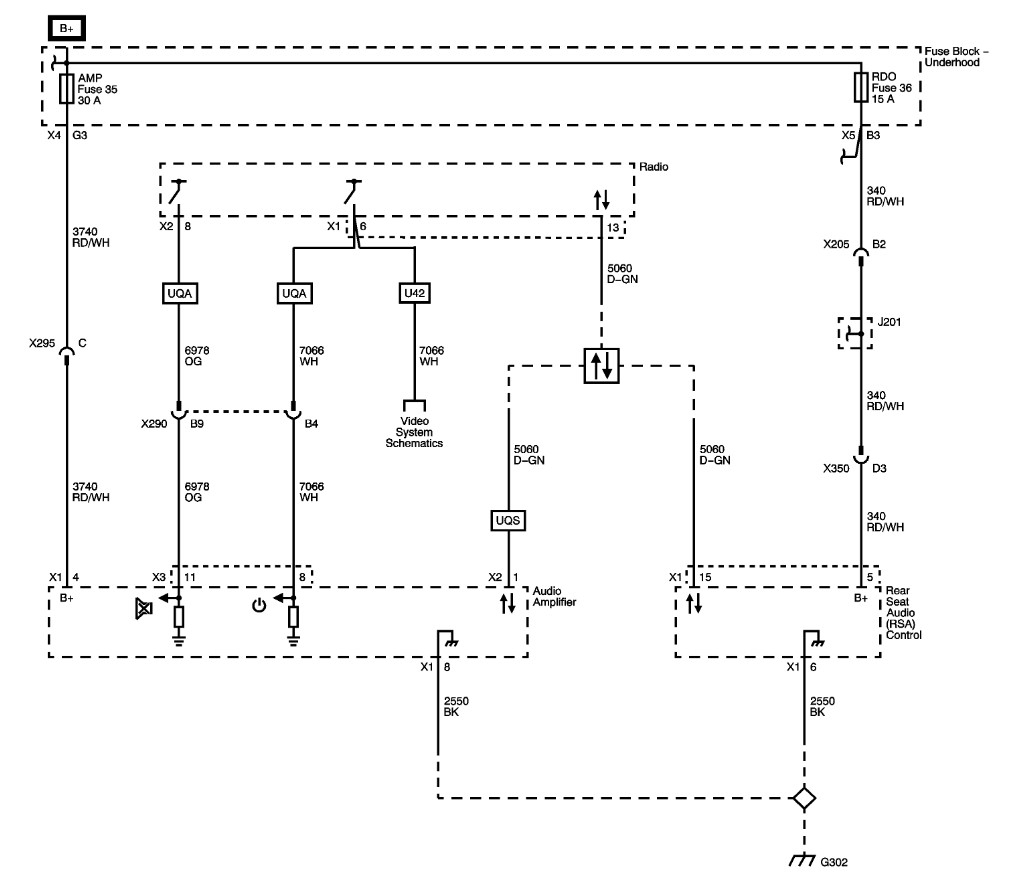
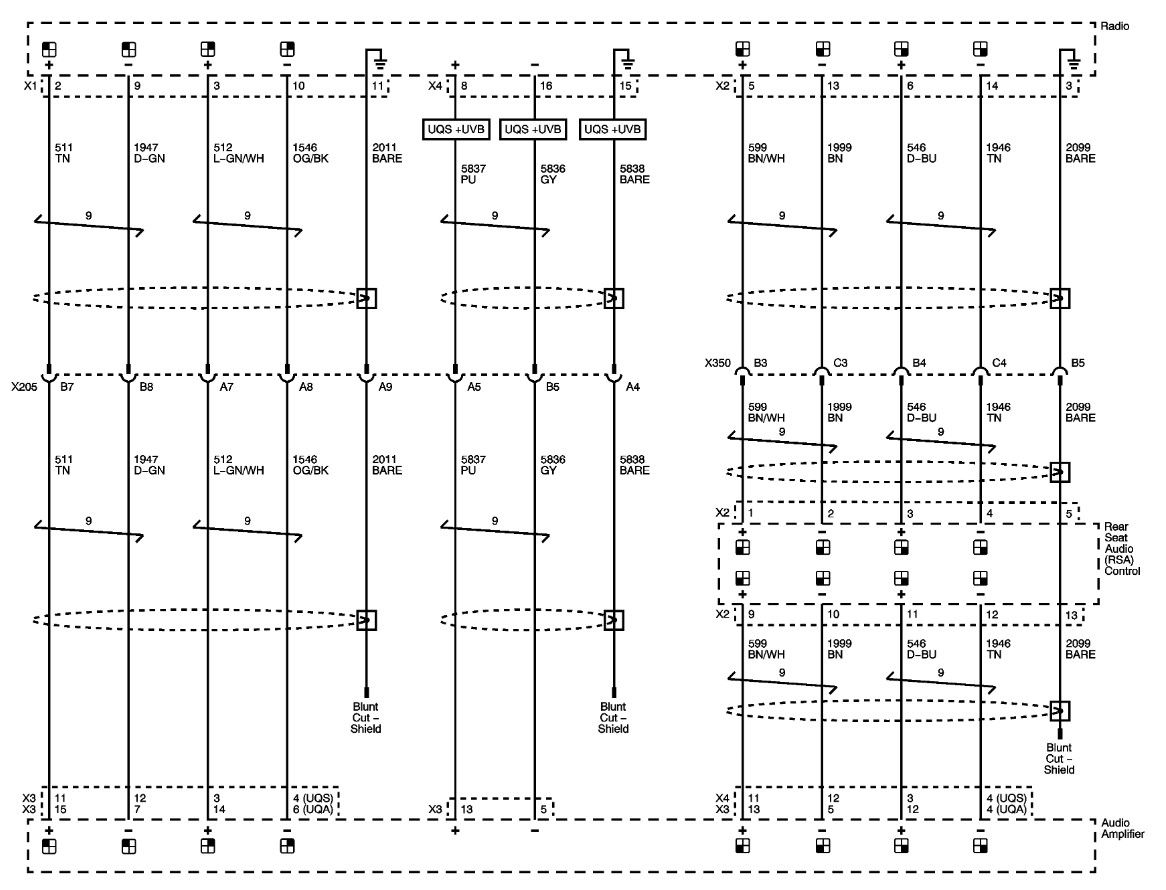
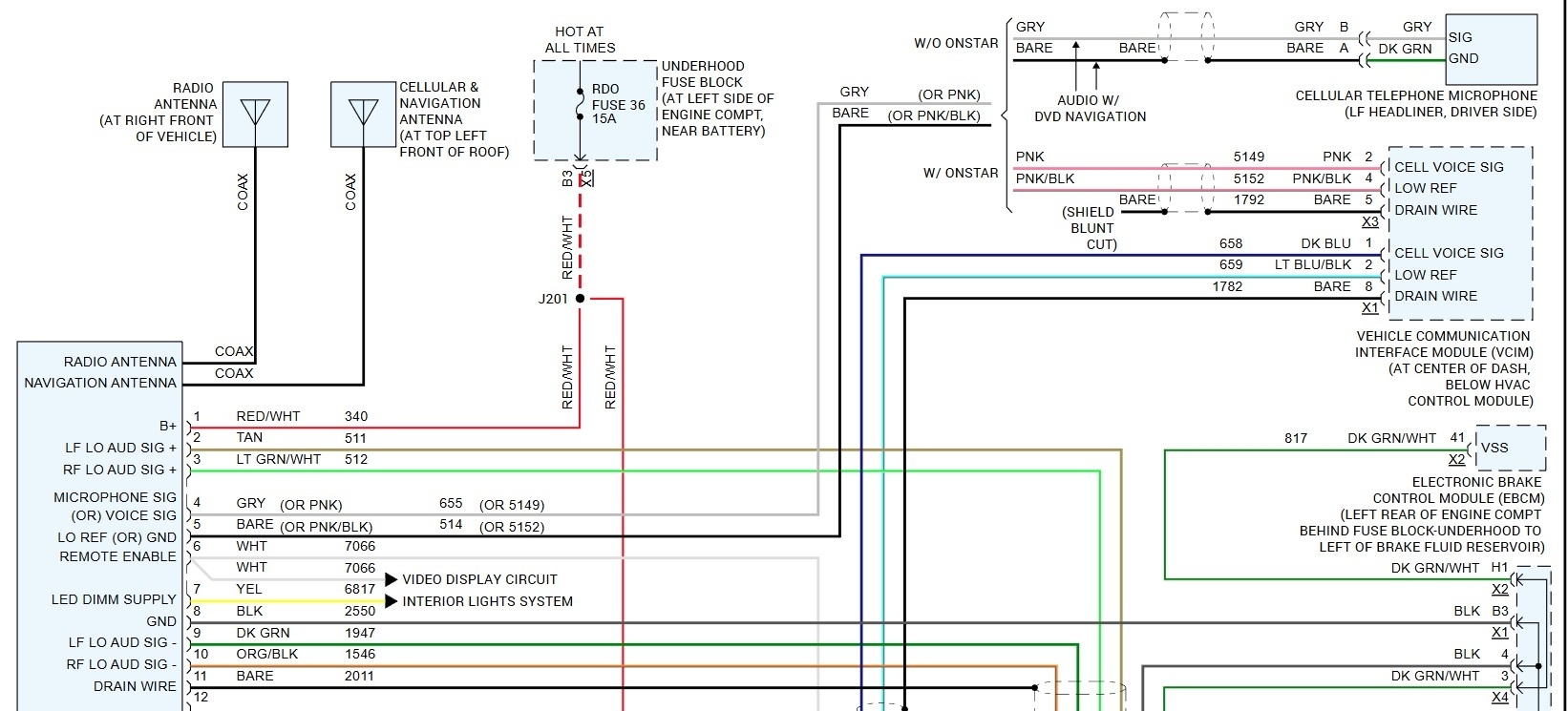
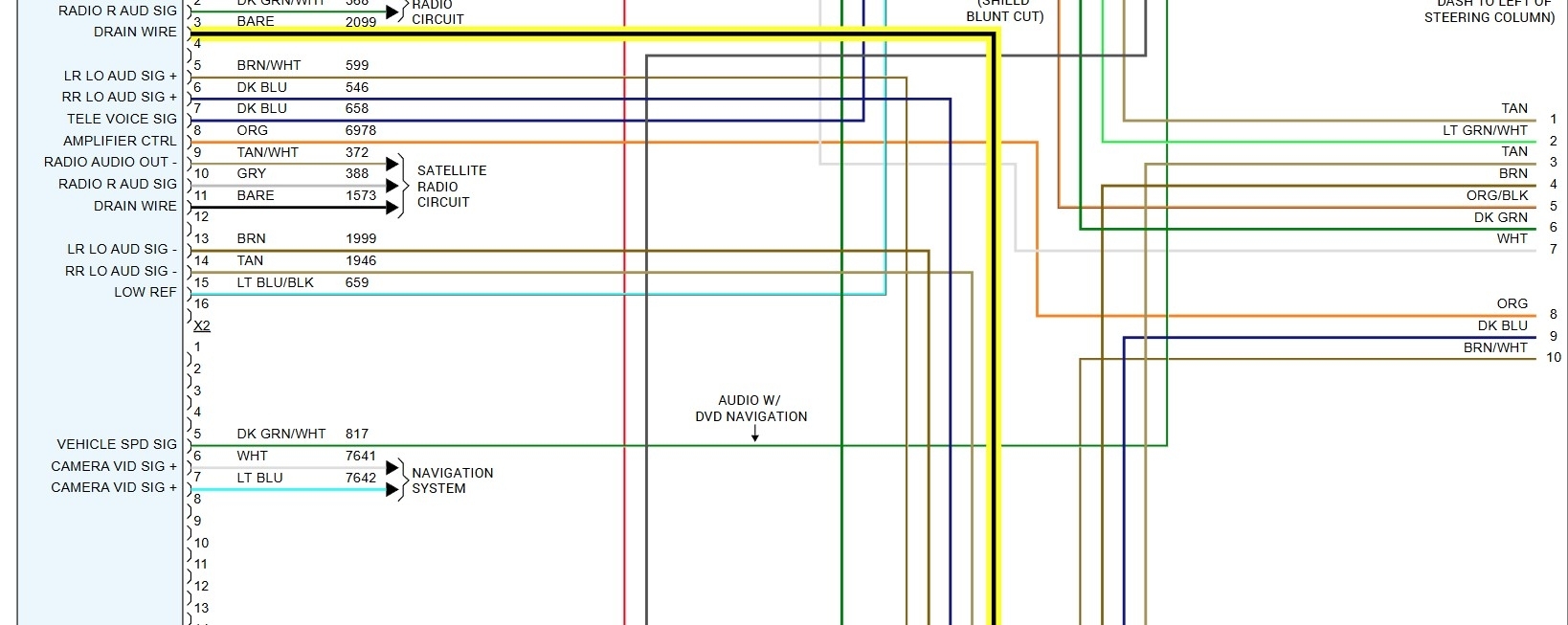
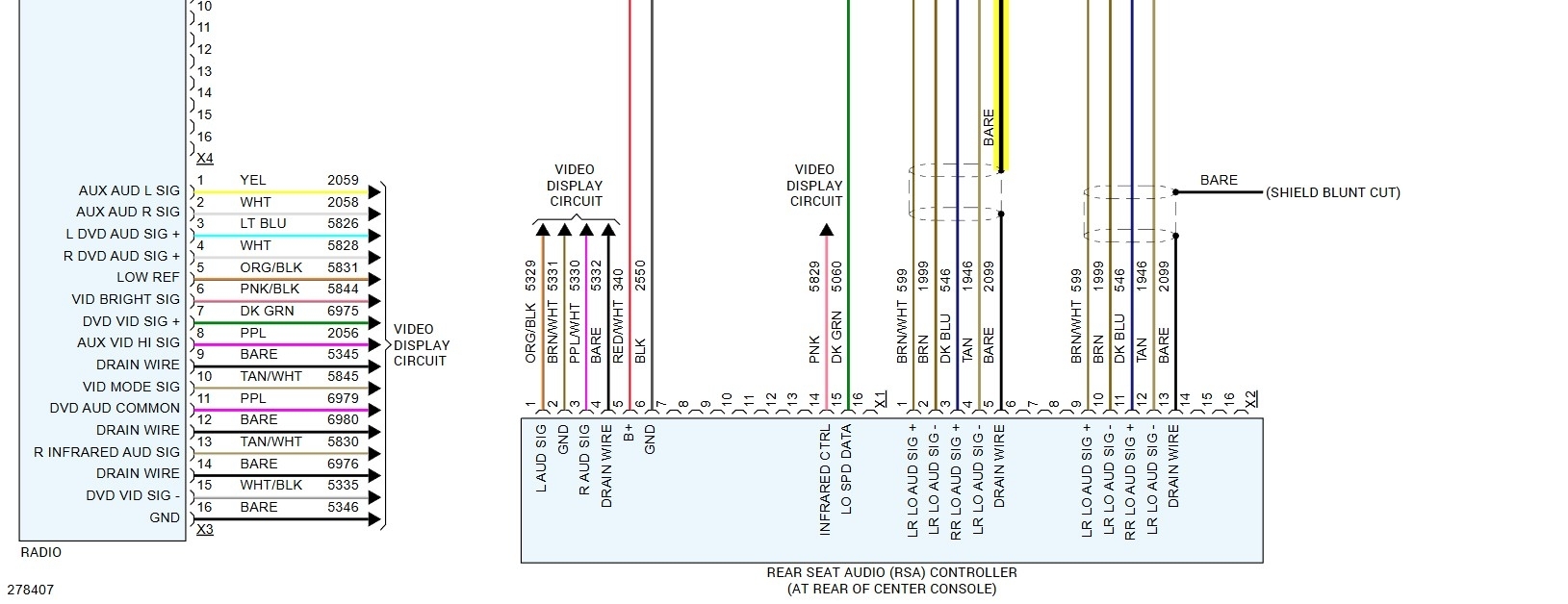
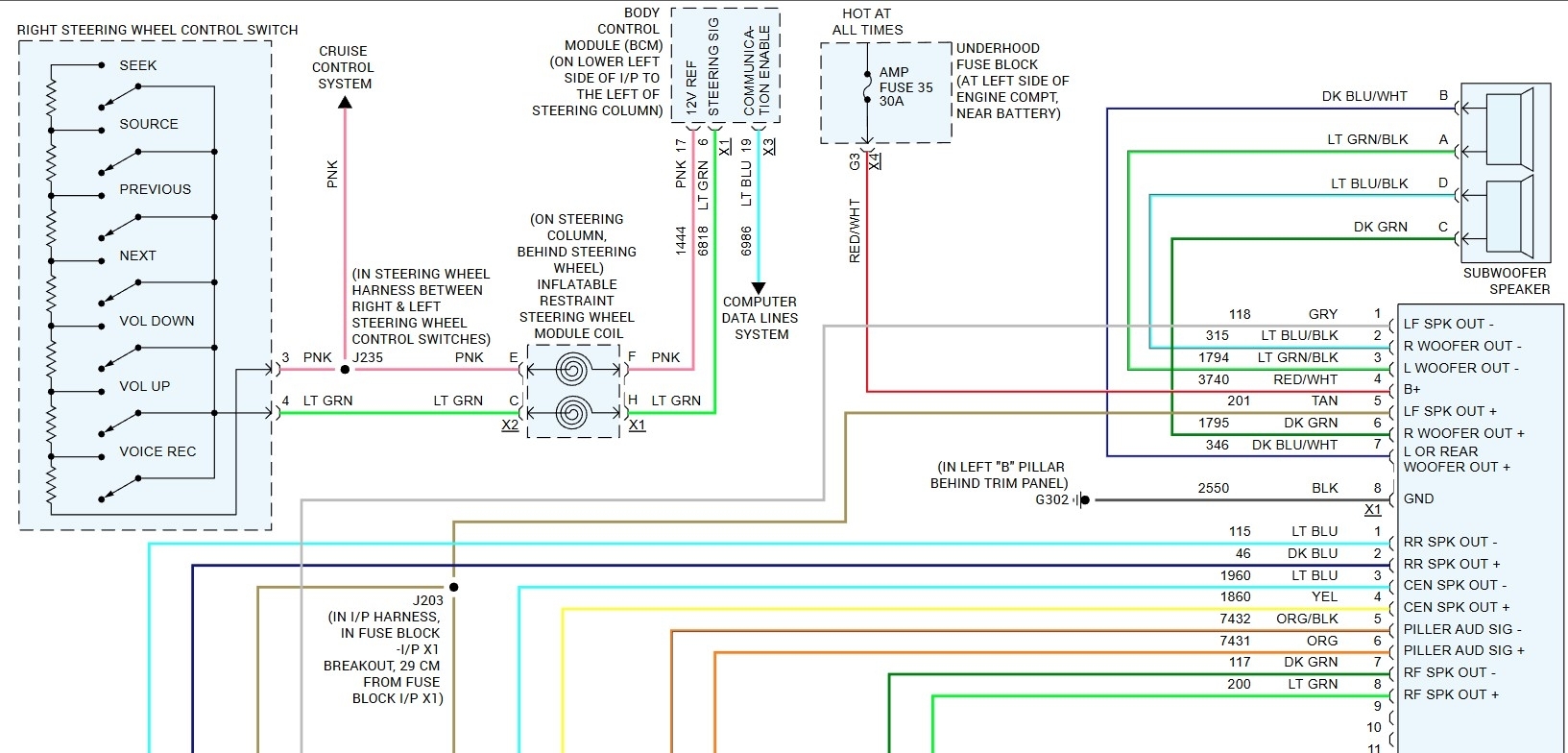
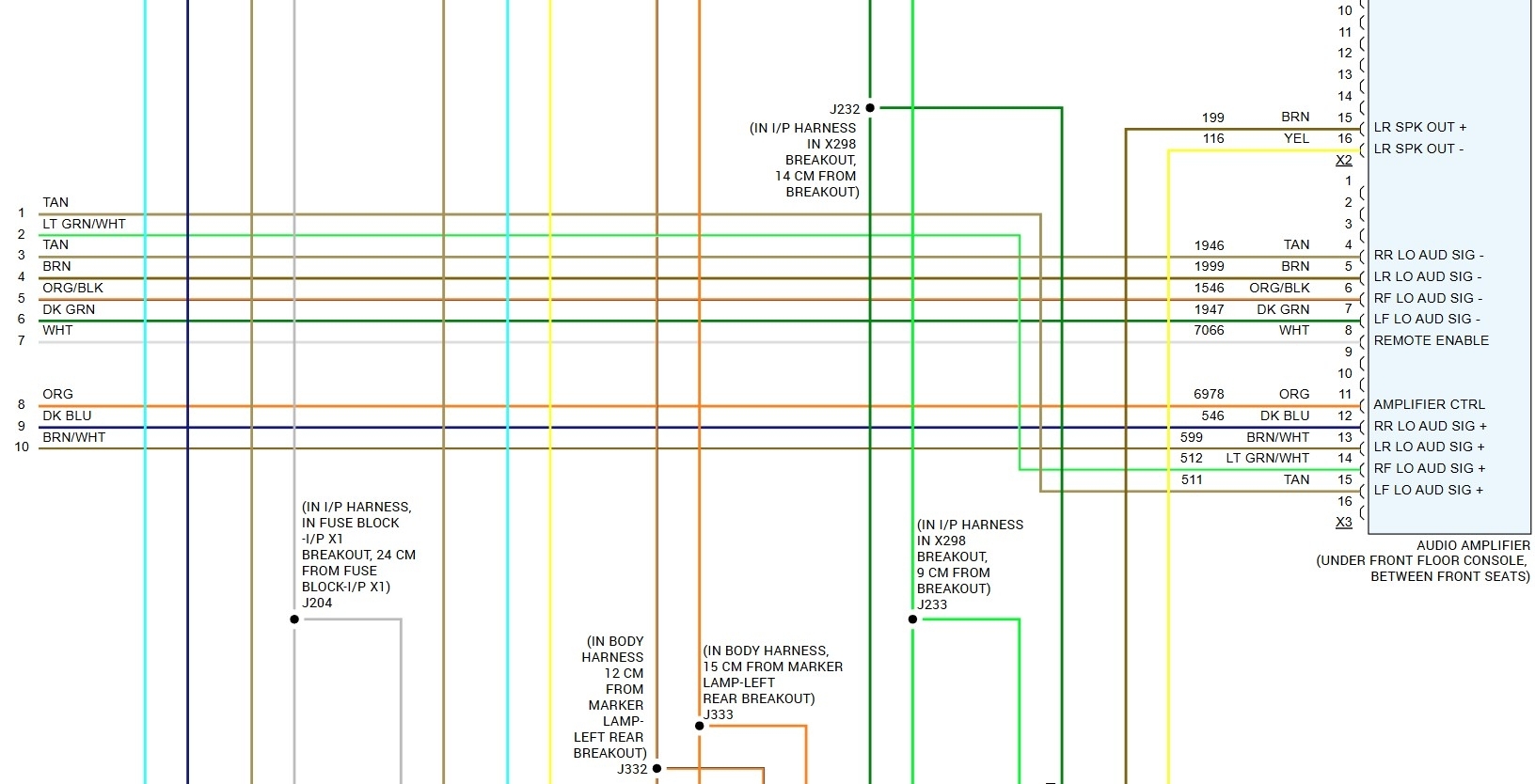
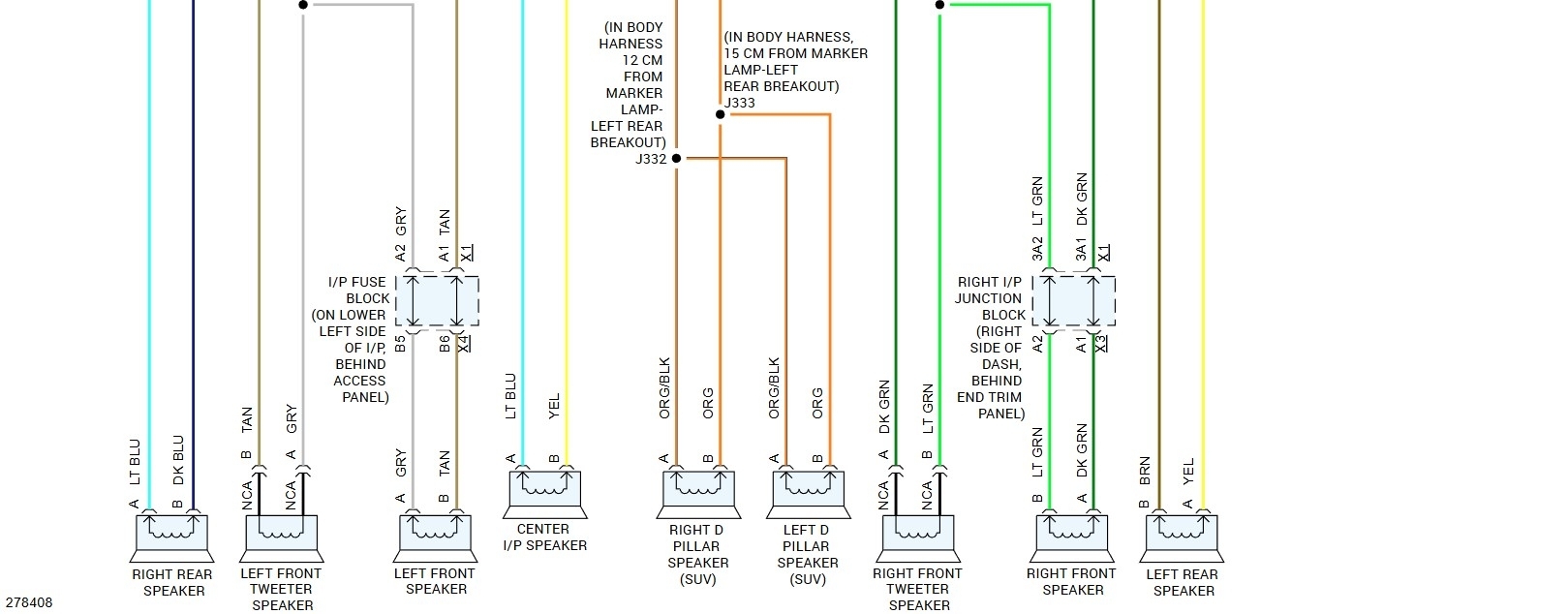
Do you have the wiring diagram for the UQA module. The wire colors and function of the radio in and amp out connections?
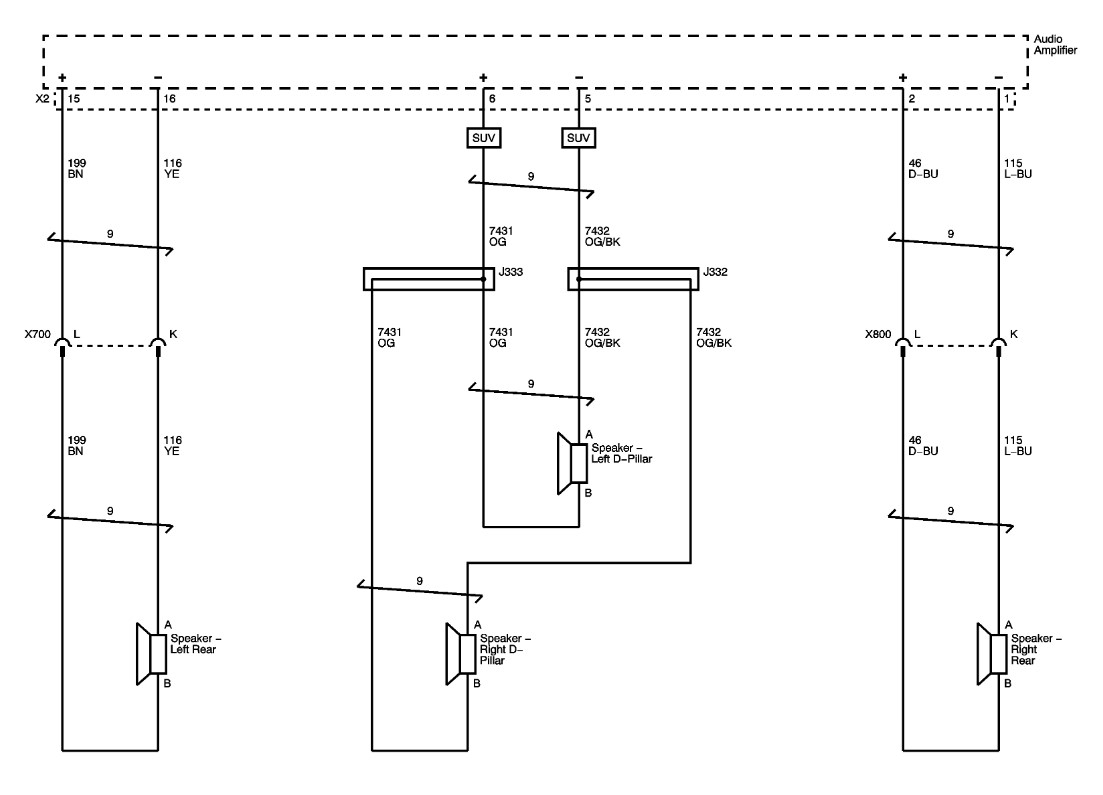
On the UQA models, are the speakers still 2 ohm and 10 ohm vise standard 10 ohm?
Jul 7, 2026 at 4:46 PM
Avatar
STEVE W.
  • ASE Certified Mechanic
  • 15,200 POSTS
  • ASE Certified Mechanic
These are the OE diagrams for the amp and the color version. Note that they have both versions of the amp on the OE diagram with the pin numbers and any colors changed called out by option code. The speakers list the same part numbers for both systems, just the UQS has different units in the rear to handle the surround function. The color are in 6 pages, just to make them easier to read as they include the other modules instead of just the interconnects like the OE.
Jul 7, 2026 at 11:27 PM
Join 2CarPros for free, one of the most advanced car repair communities on the internet. From first-time drivers to seasoned mechanics, everyone is welcome to reply, share details, and get better answers. You can add a temporary image or video first; uploads are limited to 20 MB.
Ask a Free Question
Repair Safety Notice: This information is for general instructional purposes only. Vehicle repair can be dangerous. Verify all information, follow manufacturer service procedures, use proper tools and safety equipment, and consult a qualified repair shop when needed.